Trading Bot
Automate your trading using the NameX Trading Bot engine, which runs 24/7.
Key Features
- Key Bot Types:
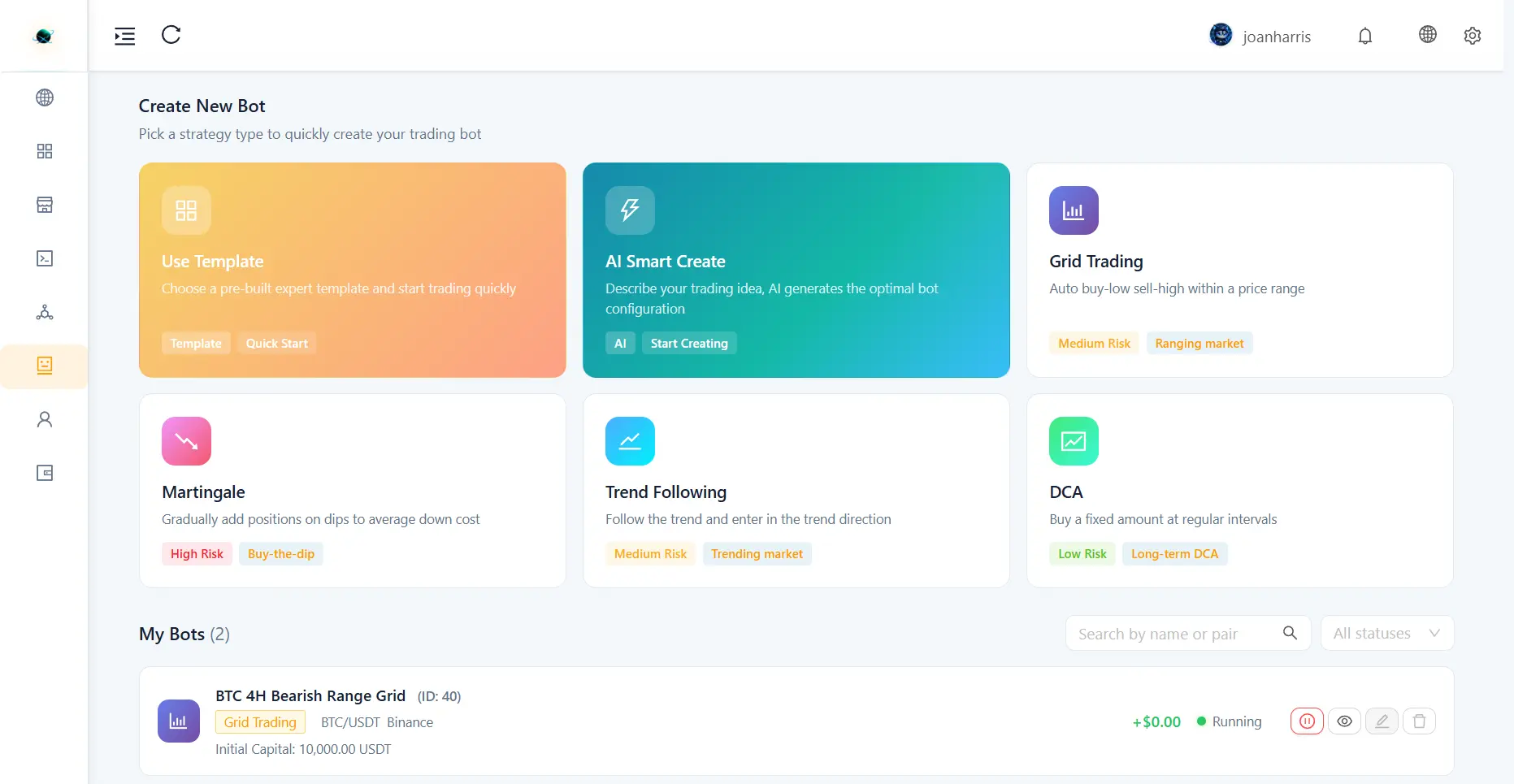
- Grid Trading: Auto buy-low and sell-high within a specific price range.
- Martingale: Gradually add positions on dips to average down your entry cost.
- Trend Following: Enter trades in the direction of the trend based on moving averages.
- DCA (Dollar Cost Averaging): Buy a fixed amount at regular intervals.
- Dashboard KPIs: Monitor global metrics such as Total Equity, Total PnL, and the count of Running/Stopped bots.
- Deep Dive Details: Click on any bot in the list to view its complete Parameters, Grid Preview (if applicable), active Positions, Trading Records, Performance analysis, and execution Logs.
How to Use
-
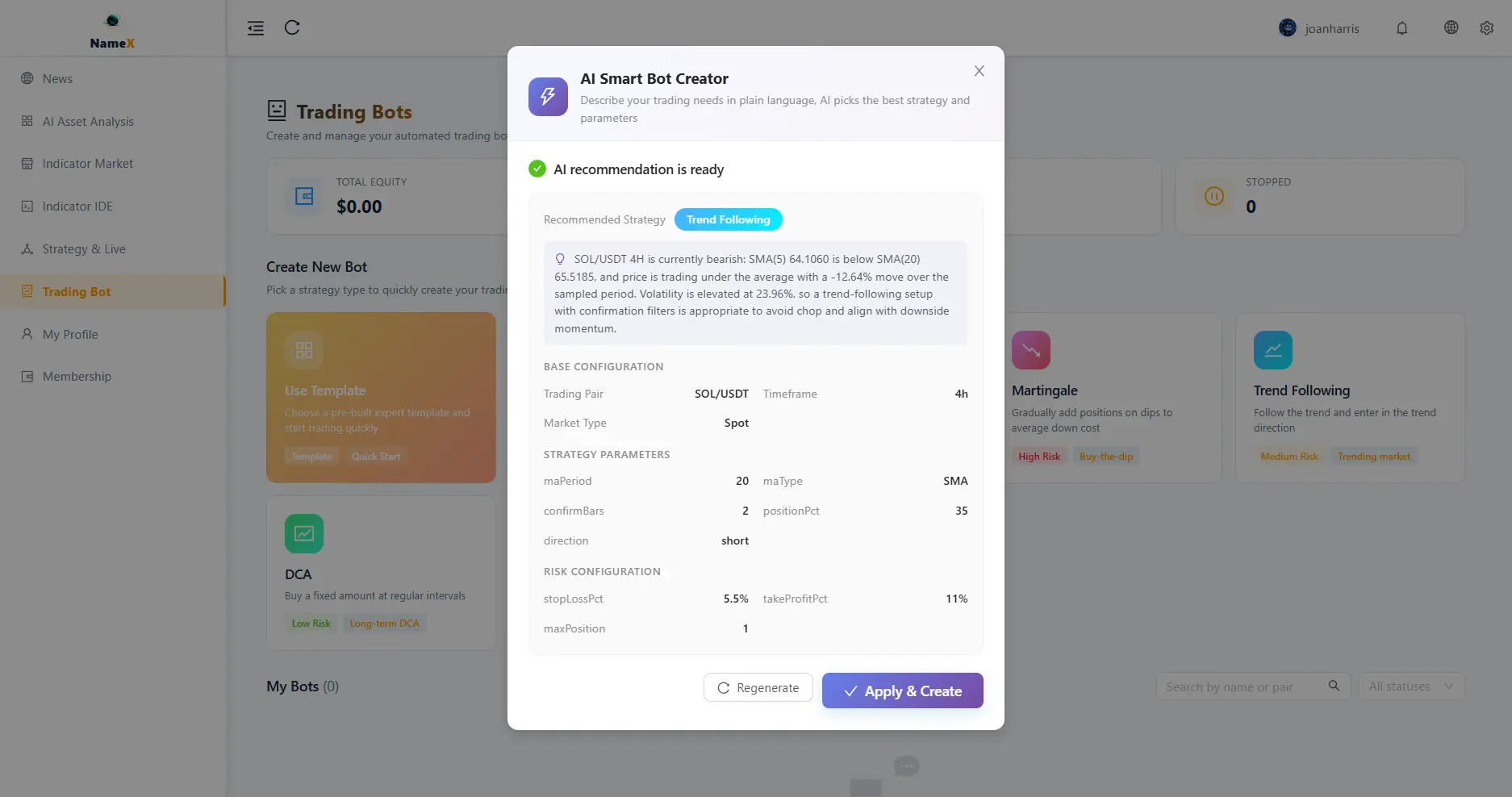
AI Smart Create (Recommended): Describe your idea (e.g., "Set up a grid bot for BTC in the current range") and let the AI generate the optimal configuration.
-
Use Template: Choose a pre-built expert template and start trading quickly.
-
Manual Creation: Select a strategy type card (Grid, Martingale, Trend, DCA), pick your connected Exchange Account (setup in Settings), and configure parameters (Prices, Capital, Take Profit/Stop Loss).
-
Deploy: Click "Create Bot" to start trading live. Monitor and manage execution (start, stop, edit, delete) directly in the My Bots list or via the Strategy & Live dashboard.
Troubleshooting & FAQ
- Why isn't my Grid Bot placing any orders? Check if the current market price is outside of the configured Grid Price Range (Upper/Lower Limits). Also verify that your exchange account has sufficient available base/quote assets to place the grid orders.
- How is PnL calculated? Total PnL is the sum of realized profit from completed trades (Grid Profits, DCA completions) and the unrealized PnL of currently open positions held by the bot.
- Can I withdraw funds while a Trading Bot is active? Withdrawing funds from your exchange account while a bot is running may cause the bot to fail due to insufficient balance. It is recommended to pause the bot first.
- What does the "Take Profit" / "Stop Loss" setting do on a Grid Bot? When triggered, the bot will automatically cancel all open grid orders, close open positions at market price, and halt operation to protect your capital.