Indicator IDE
The Indicator IDE is an advanced development environment for creating, testing, and refining custom trading indicators and scripts.
Key Features
- Integrated Code Editor: Write custom trading logic. Features include real-time Code Quality Checks and an AI QA Debugger to identify and fix issues automatically.
- AI Code Generation: Describe your logic in natural language and let the AI generate the indicator code for you.
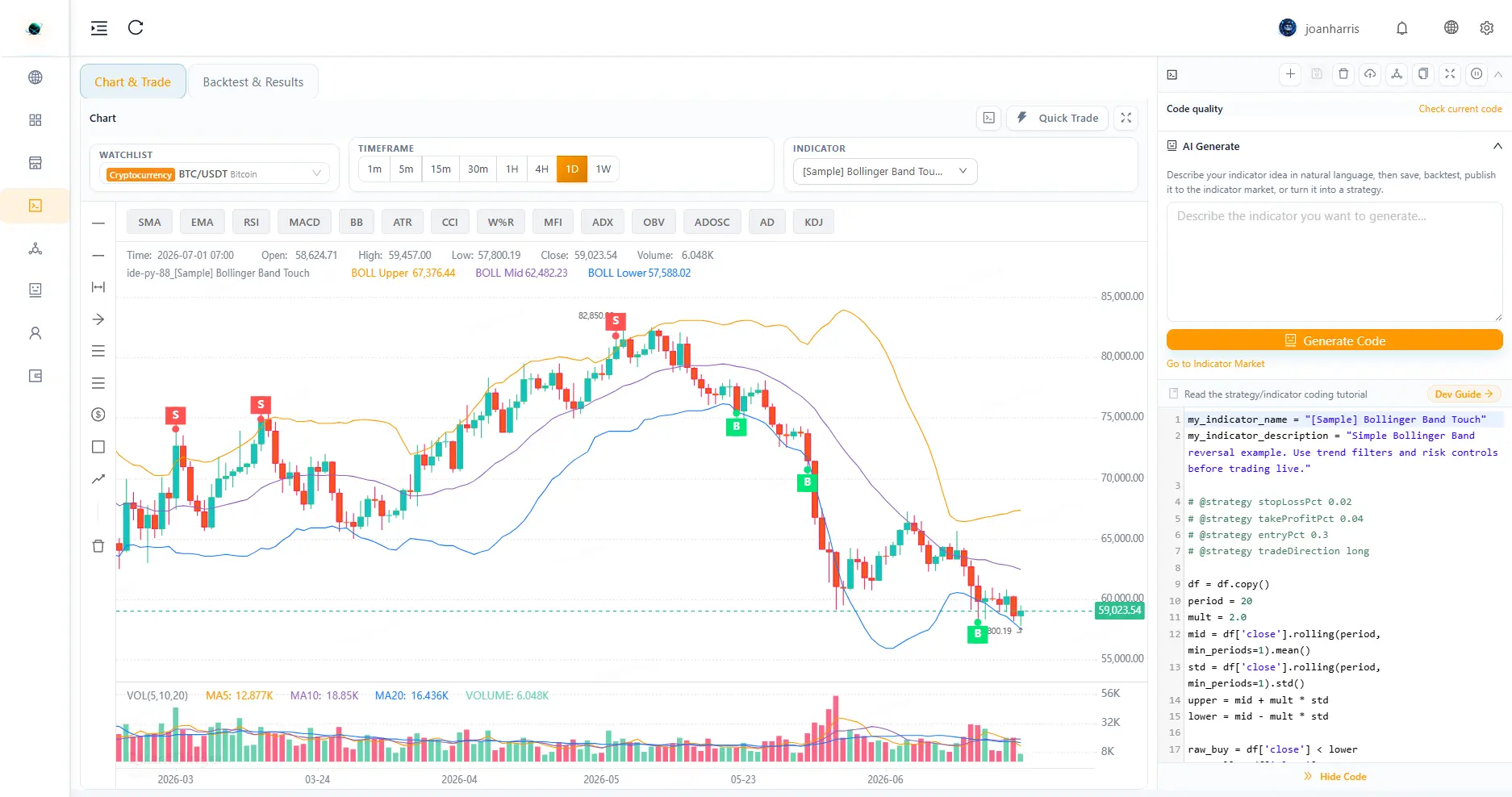
- Interactive Chart Workspace: View your indicators live on the chart. Switch timeframes, manage your watchlist, and execute manual trades directly using the integrated Quick Trade panel.
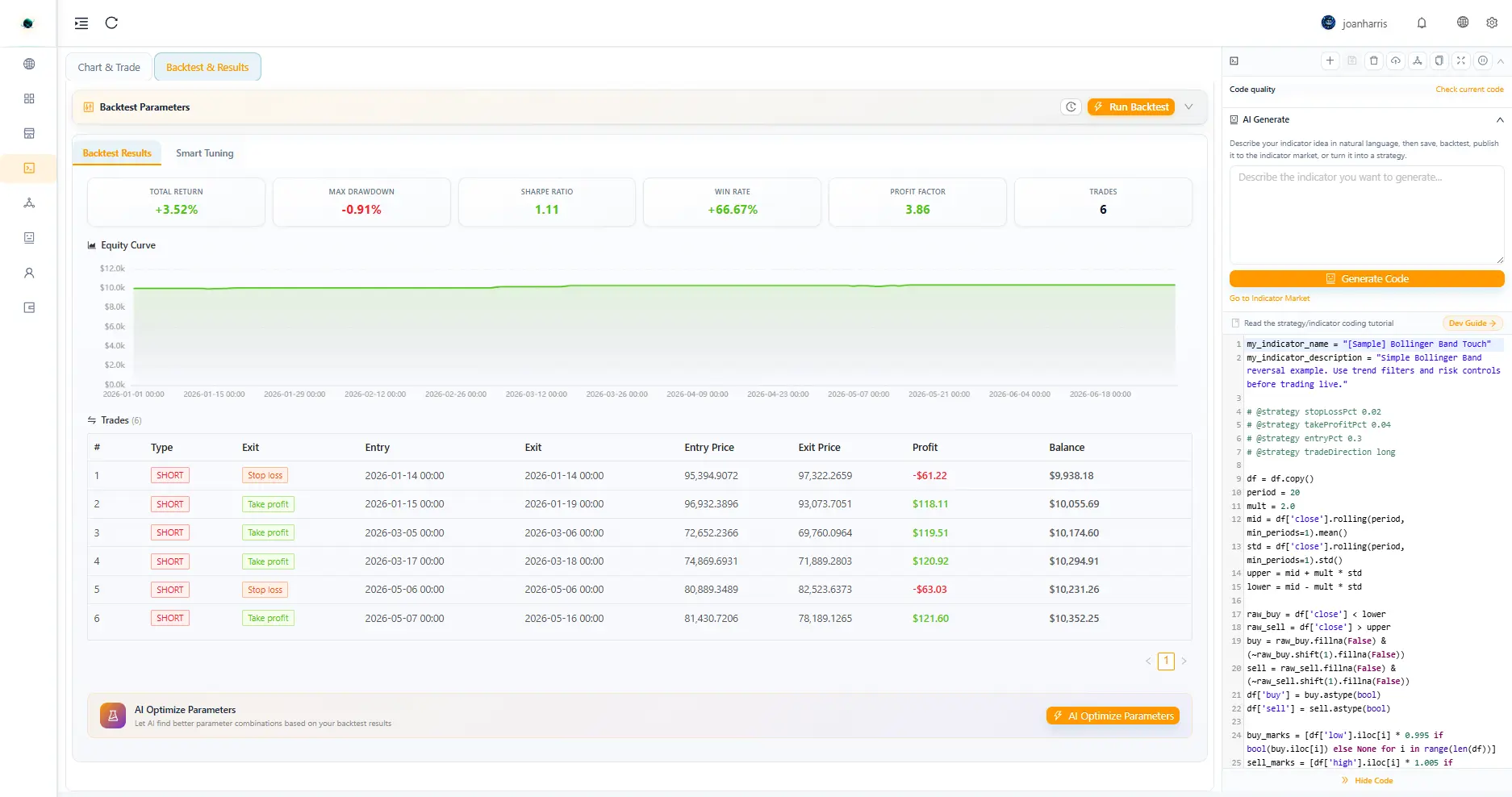
- Advanced Backtesting: Test scripts against historical data. Configure parameters like Initial Capital, Leverage, Commission, Slippage, and Trade Direction (Long/Short/Both). View detailed metrics, equity curves, and trade logs.
- Parameter Tuning & AI Optimization: Run structured tuning (Grid/Random) or use the AI Experiment engine to automatically discover the most profitable parameters for your indicator.
- Strategy Directives: Define strict operational rules directly inside your indicator script.
- Publish & Share: Seamlessly publish your finished indicators to the Indicator Market or convert them into Trading Bots.
How to Use
-
Develop Your Logic: Open the Indicator IDE. Write your script manually or use the AI Generate feature in the left panel.
-
Review on Chart: Switch to the Chart tab to overlay your indicator on real-time price action.
-
Manual Execution (Quick Trade): While on the Chart tab, click the lightning bolt icon in the toolbar to toggle the Quick Trade panel and execute trades instantly based on your indicator's signals.
-
Configure Backtest: Switch to the Backtest tab. Set your date range, capital, and risk parameters, then click Run Backtest.
-
Optimize: If the results need improvement, use the AI Optimize button or jump to the AI Experiment tab to run parameter tuning.
-
Save & Publish: Once satisfied, save the indicator. You can then publish it to the Indicator Market or create a Strategy from it.
Troubleshooting & FAQ
- Why is my backtest showing no trades? Double-check your indicator script logic to ensure entry and exit conditions are actually being met. Also, verify that the selected backtest date range has sufficient price volatility.
- The AI Generation produced invalid code. The AI writes code based on your prompt. Try to break down your logic into simpler, step-by-step instructions. You can use the AI QA Debugger feature to auto-fix syntax errors.
- How do I save my custom indicator without publishing it? Just click "Save". Your script will remain private in your personal workspace until you explicitly choose to Publish it.
- Does the IDE support importing external Python libraries? No, the Indicator IDE uses a proprietary sandboxed scripting language optimized for high-performance trading logic and security.